Available desktop and PC options for home, office and compact workspace setups. Check each listing page for photos, specifications and condition notes.
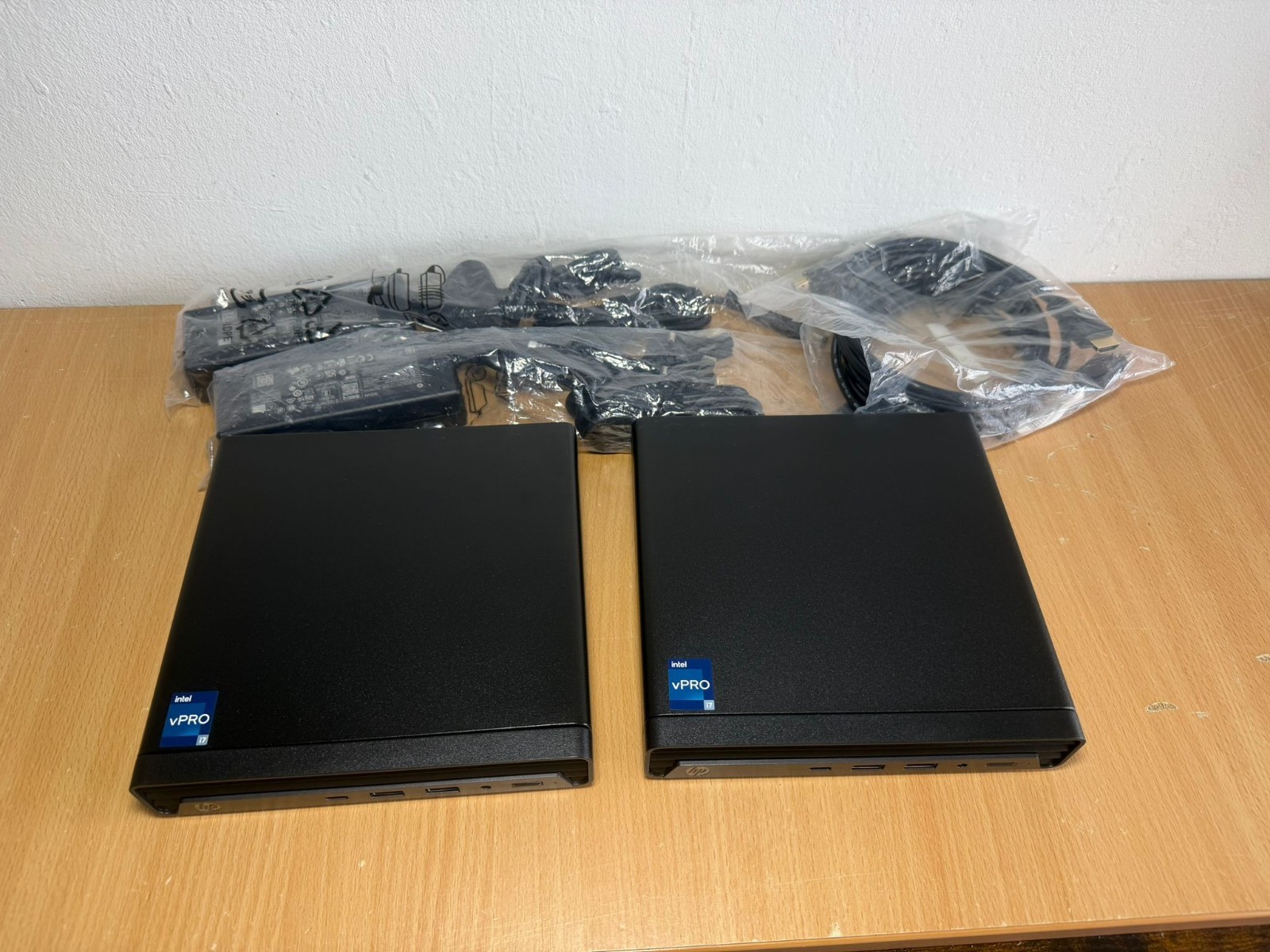
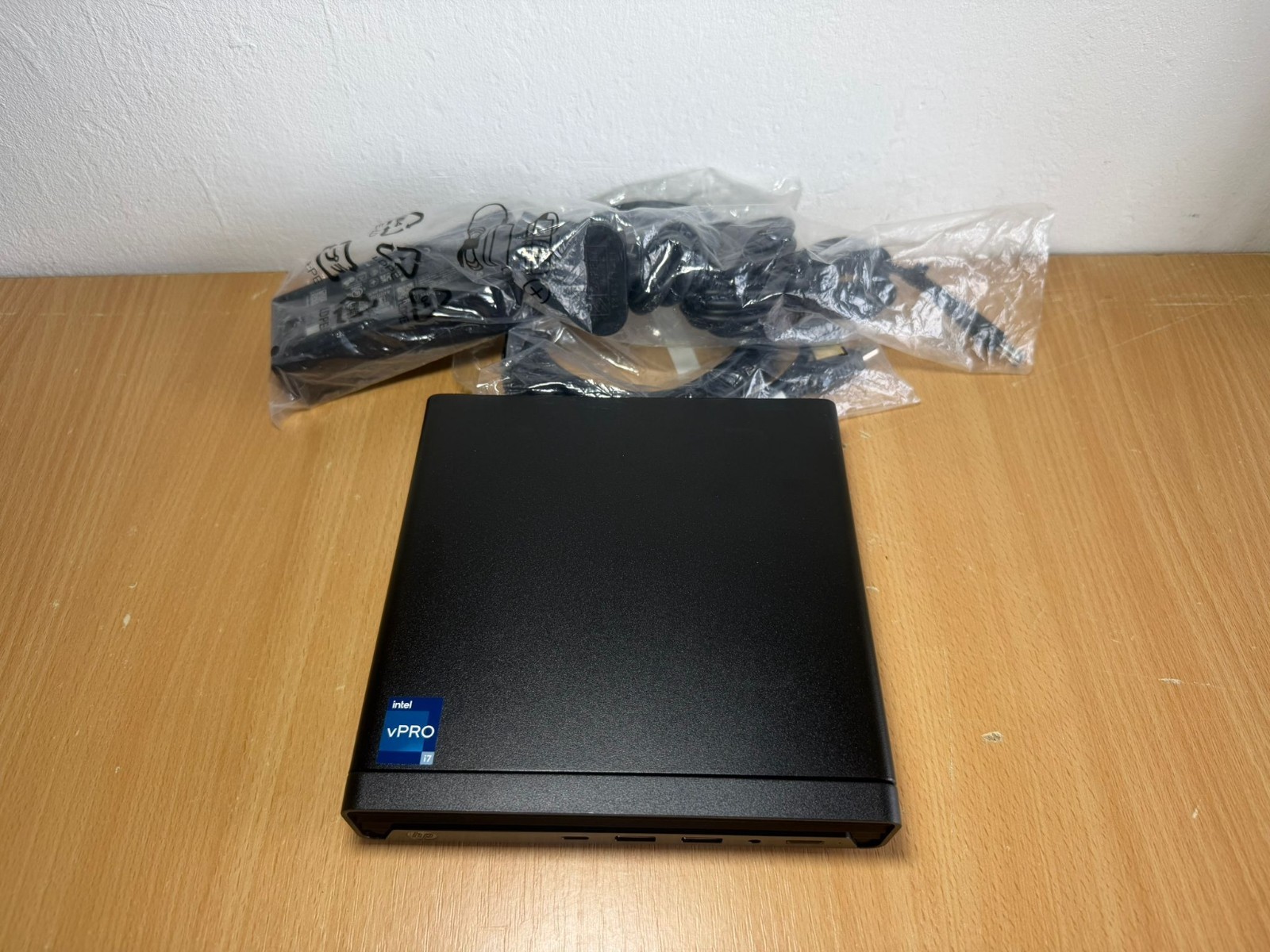
HP Elite EliteDesk Mini Desktop PC 13th Gen Intel i7-13700T 16GB DDR5 1TB NVMe SSD
HP Elite EliteDesk is a compact desktop option for everyday computing, office work and space-conscious setups. Review the photos and condition notes before purchase.
HP Elite EliteDesk Mini Desktop PC 13th Gen Intel i7-13700T 16GB DDR5 500GB NVMe SSD
HP Elite EliteDesk is a compact desktop option for everyday computing, office work and space-conscious setups. Review the photos and condition notes before purchase.
There are currently no ready-to-buy desktop PCs listed. A custom build or sourced refurbished PC can be arranged after the intended use, budget and timescale are confirmed.
Clear quote before build
Component choices explained
Customer or centre sourcing
Final cost breakdown
Choose A Build Path
Choose the closest match to your needs. Each route can be tailored around budget, existing parts, delivery time and the level of performance required.
Home & Study PC
Quiet, dependable and good value for browsing, documents, online forms, family use, video calls and light school or college work.
i3 / Ryzen 3+16GB RAM targetFast SSD
Business & Office PC
Built around stability, dual-screen options, fast startup, sensible warranty cover and enough headroom for accounts, admin and remote work.
i5 / Ryzen 5+Wi-Fi or EthernetDual display ready
Gaming & Creative PC
Prioritises the graphics card, cooling, power supply and storage speed, then balances the CPU and memory around the actual games or software used.
GPU led budget32GB optionUpgrade path
Custom PC Builder
Use this section to shape a practical quote. The goal is to avoid overspending on parts that do not match the customer's actual use.
Budget Allocation Guide
Hover or focus a slice to see how we would normally guide the budget for that part of a custom PC. We use these ranges as a practical starting point, then adjust them around how the machine will actually be used, what parts are already available and how much upgrade room is needed.
How To Read The Pie
We use this pie to show where the money is likely to make the biggest difference. It is a planning guide rather than a fixed quote: an office PC may lean toward reliability and setup, while a gaming PC usually shifts more budget toward graphics.
Costing Rule
We start with what the customer actually needs the PC to do: documents, business software, creative work, gaming or mixed family use. From there, we choose parts that meet that target before spending on styling, excess capacity or upgrades that may not be noticed.
Economical Component Sourcing
Without a live supplier feed, the most robust approach is to compare shortlists manually at quote time and show the customer the chosen route. This avoids stale prices while still giving transparent control.
CPU / Motherboard Bundle
Compare used workstation bundles, current entry-level new platforms and upgrade paths. Best value often comes from proven previous-generation parts.
Graphics Card
For gaming, compare performance per pound, warranty, power draw and target resolution. Avoid spending on a GPU above the monitor's realistic use.
Memory
Buy matched pairs where possible. Prioritise capacity and compatibility over decorative heat spreaders for budget systems.
Storage
Use a reliable SSD for Windows and apps. Add larger storage only if games, media or work files require it.
Power Supply
Do not chase the cheapest PSU. Choose reputable units with enough headroom for the graphics card and future upgrades.
Customer Choice
The customer can approve each component, buy selected parts themselves, or ask Marie Marie Centre to source everything and provide the final invoice breakdown.
Quote Workflow
Requirements check
Confirm the customer's use, software, budget, urgency, delivery route and whether any existing parts should be reused.
Compatibility shortlist
Prepare sensible component choices with clear notes on performance, reliability, upgrade limits and where the money is best spent.
Customer approval
Agree the final parts route before ordering, including whether the customer buys components or Marie Marie Centre sources them.
Build, test and invoice
Assemble, install, update and test the system, then provide a final cost breakdown so the customer understands what was supplied.
Confidence Checks
Performance Fit
The build should match the actual work, games or study needs rather than headline specifications alone.
Reliability Fit
Power supply, cooling, storage and memory compatibility are checked before decorative features or optional extras.
Budget Fit
Spending is focused where the customer will notice it most, with any compromises explained before approval.
Support Fit
The quote can include Windows setup, driver checks, future upgrade advice and after-sales support expectations.